📄 仓库 README
在 GitHub 查看 ↗




DroneBridge for ESP32
A firmware for the popular ESP32 modules from Espressif Systems. Probably the cheapest way to communicate with your drone, UAV, UAS, ground-based vehicle or whatever you may call them.
It also allows for a fully transparent serial to WiFi pass-through link with variable packet size (As of release v2.0 no continuous stream of data is required anymore in MAVLink and transparent mode).
DroneBridge for ESP32 is a telemetry/low data rate-only solution. There is no support for cameras connected to the ESP32 since it does not support video encoding.
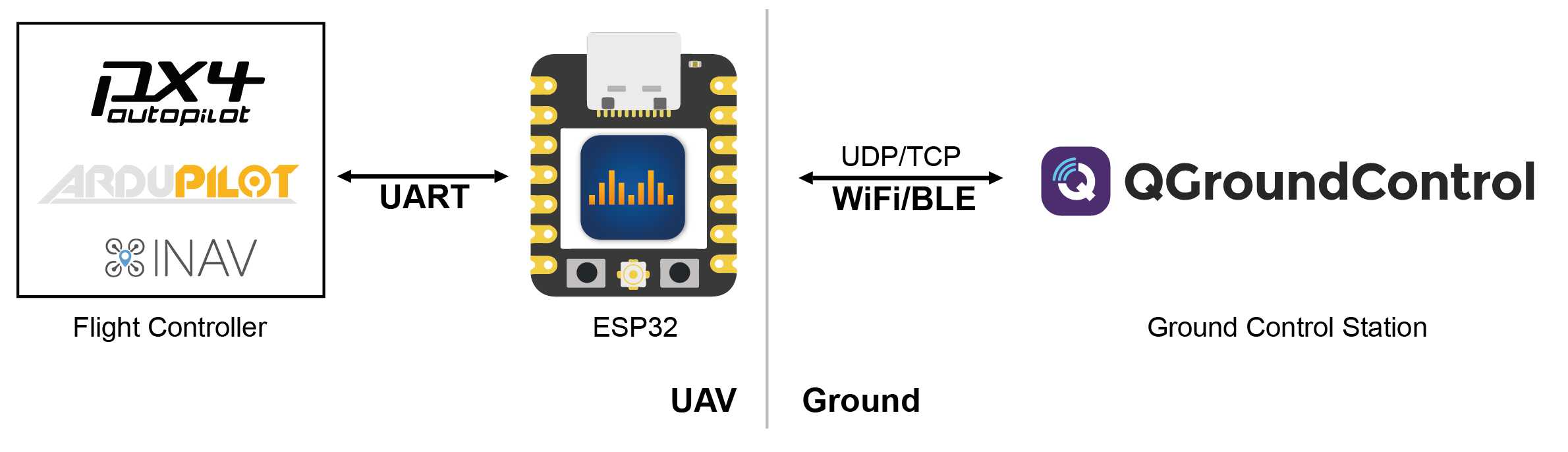
Features
- Bidirectional: serial-to-WiFi, serial-to-WiFi Long-Range (LR), serial-to-ESP-NOW link, Bluetooth LE
- Support for MAVLink, MSP, LTM or any other payload using transparent option
- Affordable: ~7€
- Up to 150m range using standard WiFi
- Up to 1km of range using ESP-NOW or Wi-Fi LR Mode - sender & receiver must be ESP32 with LR-Mode enabled
- Fully encrypted in all modes including ESP-NOW broadcasts secured using AES-GCM 256 bit!
- Weight: <8 g
- Supported by: QGroundControl, Mission Planner, mwptools, impload etc.
- Easy to set up: Power connection + UART connection to flight controller
- Fully configurable through an easy-to-use web interface
- Parsing of LTM & MSPv2 for more reliable connection and less packet loss
- Parsing of MAVLink with the injection of Radio Status packets for the display of RSSI in the GCS
- Fully transparent telemetry down-link option
- Reliable, low latency
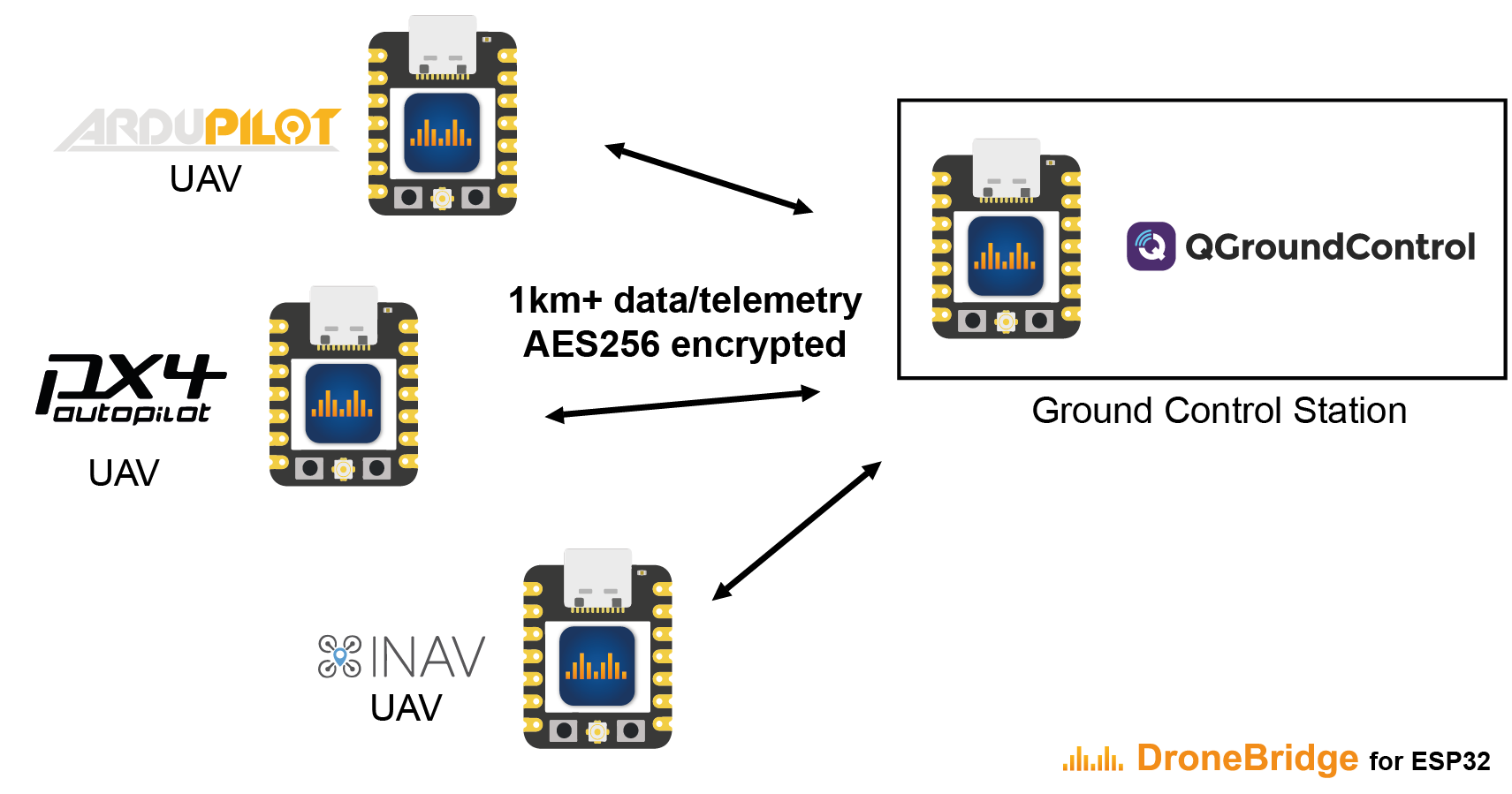
The number of drones is only limited by the channel capacity and the ESP32s processing power. All data is encrypted using AES256-GCM.
Drone Light Show Edition (DLSE)
Special version that is optimised to work for Drone Shows using Skybrush
Check drone-bridge.com to get the latest release!
- Support for Skybrush
- Remote Power Management (sleep, wakeup) of the show drone
- Lots of additional checks to improve safety and reliability
- Open Source Commercial Support Suite to help you flash, manage & maintain your drones efficiently. Script your own tools following the given examples using the DLSE API.
- Over The Air (OTA) Updates for the ESP32
- WiFi6 (OFDMA) & 5GHz support on supported ESP32 chips
- ESP32-C3, ESP32-C5 & ESP32-C6
Hardware
Officially supported and tested boards:
Do the project and yourself a favour and use one of the officially supported and tested boards below.
These boards are very affordable, have everything you need, and are also very compact. Perfect for use on any drone.
You can find more info on how to get the official boards here!
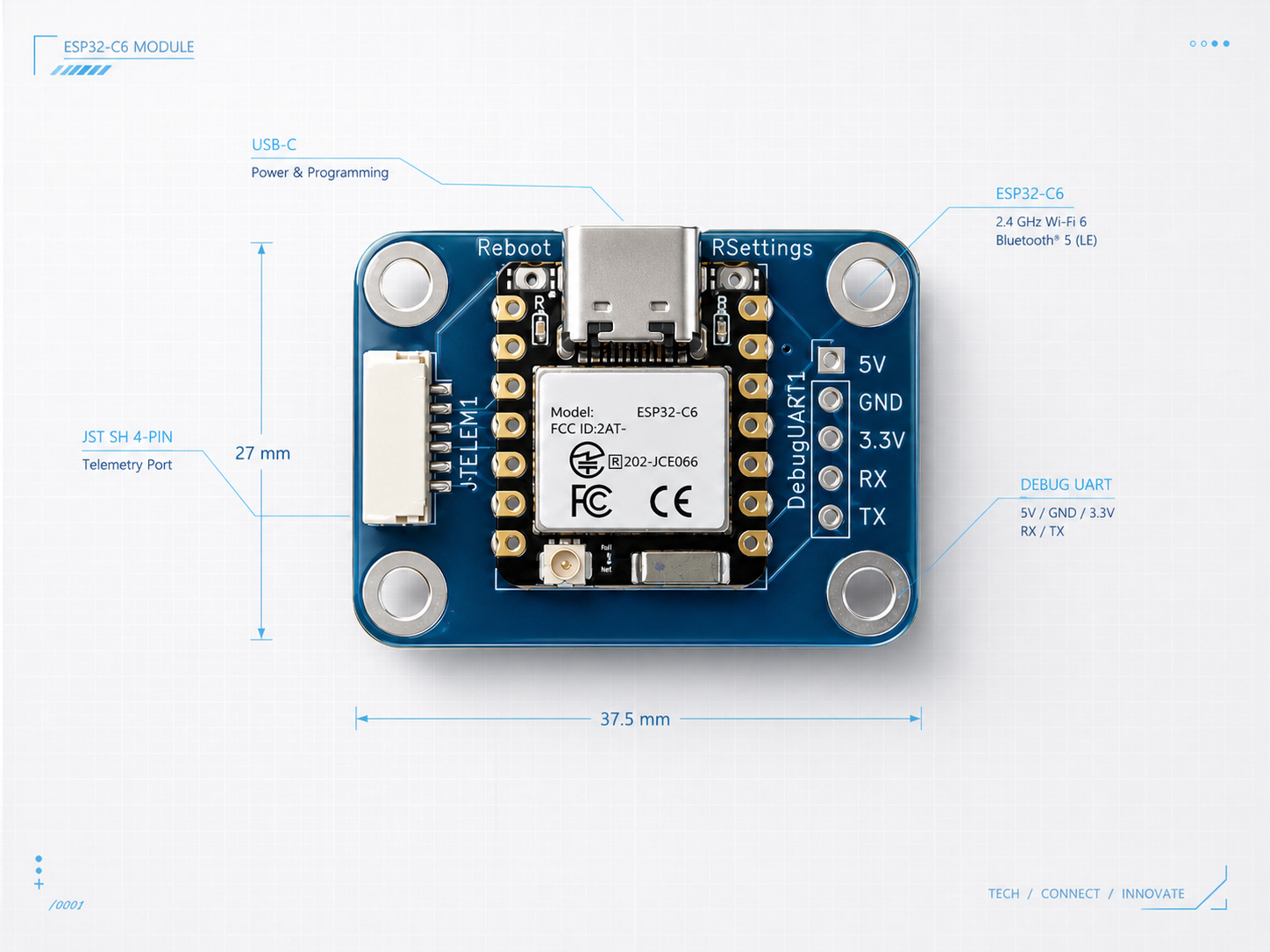
For further info please check the wiki!
Installation/Flashing using precompiled binaries
It is recommended that you use the official online flashing tool!
In any other case, there are multiple ways how to flash the firmware.
For further info please check the wiki!
Wiring
- Connect the UART of the ESP32 to a 3.3V UART of your flight controller. It is not recommended to use the ESP32s pins that are marked with TX & RX since they often are connected to the internal serial ouput. Go for any other pin instead!
- Set the flight controller port to the desired protocol.
Check out the manufacturer datasheet! Only some modules can take more than 3.3V. Follow the recommendations by the ESP32 board manufacturer for powering the device
For further info please check the wiki!
Configuration
- Connect to the WiFi
DroneBridge ESP32with passworddronebridge - In your browser type:
dronebridge.local(Chrome:http://dronebridge.local) or192.168.2.1into the address bar. You might need to disable the cellular connection to force the browser to use the WiFi connection - Configure as you please and hit
save
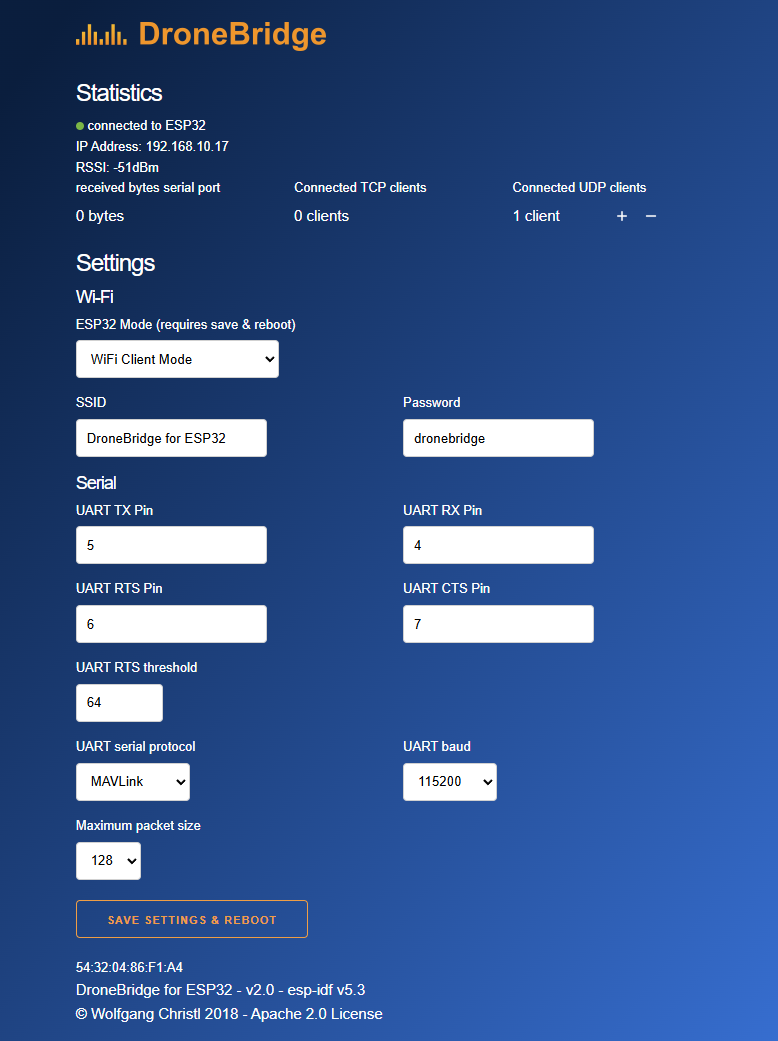
For further info please check the wiki!
Serial forwarding timeout
serial_timeout (MAVLink SERIAL_T_OUT_MS) controls the serial-to-radio flush timeout in milliseconds for both transparent and MAVLink modes. Valid values are 1 to 65535; the firmware default is 20 ms. Both loops read the configured value on each polling cycle, including the value loaded from NVS. MAVLink parameter changes take effect on the next cycle without a reboot. Saving through the web interface keeps its existing save-and-reboot behavior.
This setting does not change the UART driver read timeout or the trans_pack_size packet-size limit. Timeout comparisons use FreeRTOS ticks and remain subject to the configured tick resolution and task scheduling. Transparent mode flushes after a serial-read idle period. MAVLink mode retains its existing serial-read idle timeout behavior. Increasing the timeout can reduce packet overhead but increases forwarding latency.
Regression checks need no ESP32 hardware. Activate this project's ESP-IDF environment with the RISC-V compiler and QEMU installed, then run python test/test_serial_timeout.py. The check executes both production loop bodies with mocked UART, radio and scheduler ticks, including live timeout changes, boundary values, packet-size flushing and tick wraparound. It also verifies that the former fixed 20 ms behavior fails. Explicit tool paths can be supplied with --cc and --qemu.
Use with QGroundControl, Mission Planner or any other GCS
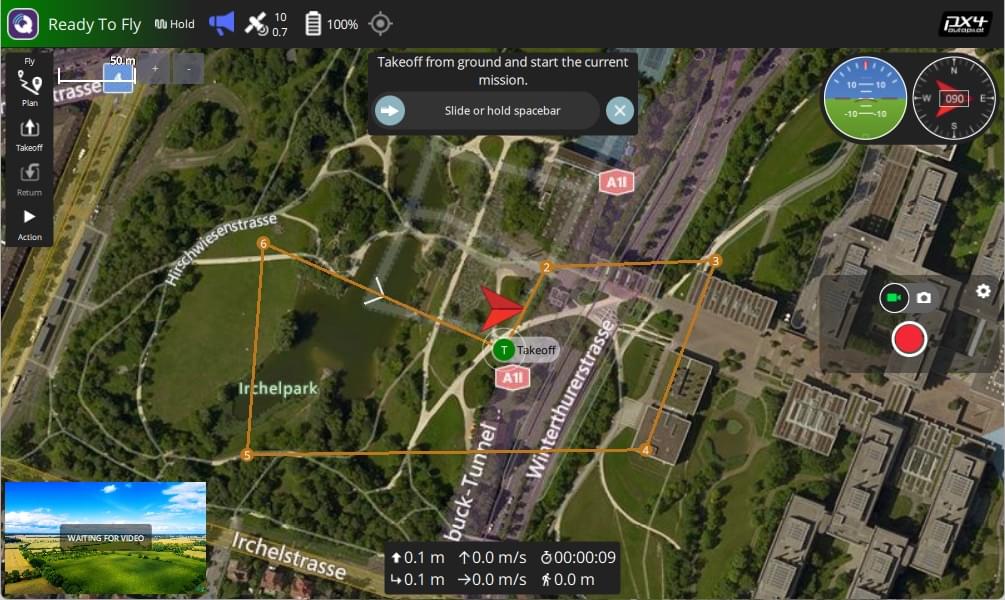
- The ESP will auto-send data to all connected devices via UDP to port 14550. QGroundControl should auto-connect using UDP
- Connect via TCP on port 5760 or UDP on port 14550 to the ESP32 to send & receive data with a GCS of your choice.
- In case of a UDP connection the GCS must send at least one packet (e.g. MAVLink heart beat etc.) to the UDP port of the ESP32 to register as an endpoint. Add ESP32 as an UDP target in the GCS
- Manually add a UDP target using the web interface
Further Support
For questions or general chatting regarding DroneBridge for ESP32 please visit the Discord channel

📈 近 7 天 Star 趋势
🏆 排名变化趋势
📋 历史上榜记录
| 日期 | 榜单 | 排名 | 周期新增 | 总 STAR |
|---|