CyberTimon / RapidRAW
← 返回首页
A beautiful, non-destructive, and GPU-accelerated RAW image editor built with performance in mind.
📄 仓库 README
在 GitHub 查看 ↗来自 GitHub 仓库自述文件 · 版权归原作者所有
[](https://www.rust-lang.org/)
[](https://wgpu.rs/)
[](https://react.dev/)
[](https://tauri.app/)
[](https://opensource.org/licenses/AGPL-3.0)
[](https://github.com/CyberTimon/RapidRAW/stargazers)
[](https://www.getrapidraw.com) [](https://www.instagram.com/timonkaech.photography/) [](https://discord.gg/cvFugZ2Hw8)
[](https://www.getrapidraw.com) [](https://www.instagram.com/timonkaech.photography/) [](https://discord.gg/cvFugZ2Hw8)
RapidRAW
A beautiful, non-destructive, and GPU-accelerated RAW image editor built with performance in mind.
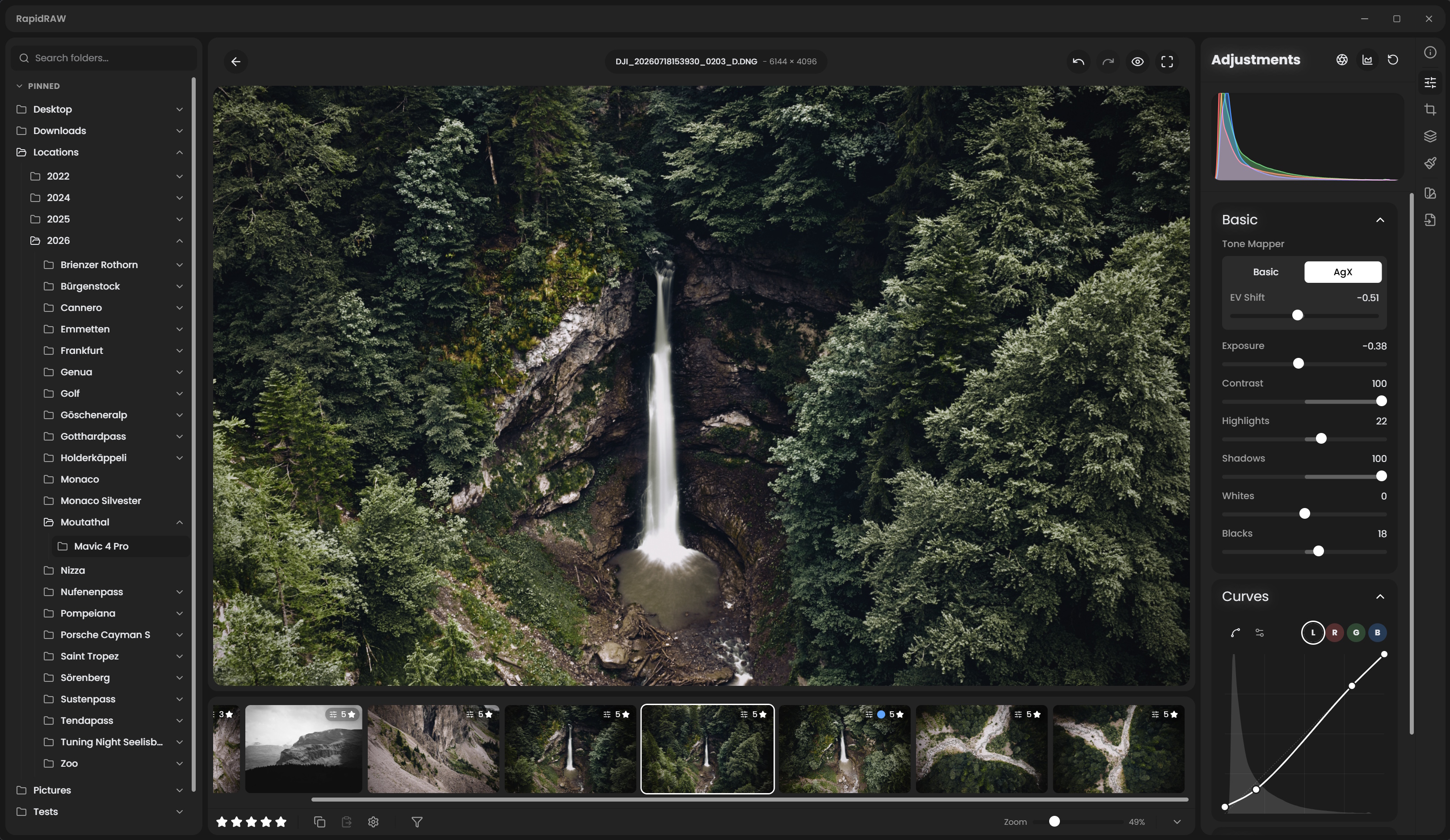
RapidRAW is a modern, high-performance alternative to Adobe Lightroom®. It delivers a simple, beautiful editing experience in a lightweight package for Windows, macOS, Linux, and Android.
I started developing this project as a personal challenge when I was 18. My goal was to create a high-performance tool for my own photography workflow while deepening my understanding of React, WGSL and Rust.

Download RapidRAWGet the latest release for Windows, macOS, Linux, and Android. Packaged and ready to run. Download Latest Version → |

Read the DocsLearn how RapidRAW works with step-by-step tutorials, from adjustments to masking. View Tutorials & Docs → |
For Who Is This?
RapidRAW is for photographers who love to edit their photos in a clean, fast, and simple workflow. It prioritizes speed, a beautiful user interface, and powerful tools that let you achieve your creative color vision quickly.Recent Changes
- **2026-10-24:** Rewrote dehaze with edge-aware haze estimation, added dual-illuminant RAW color matrices and gamut compression, improved denoise in shadows and highlights, and added arrow key grid navigation in the library - **2026-10-23:** Redesigned data management as a storage page with cache limits, rewrote noise reduction and sharpening, and fixed AI hangs on macOS - **2026-10-22:** Added split and side-by-side before/after compare modes, a global job tracker, AI face and text masks, new sky and foreground models, and non-destructive BM3D denoise - **2026-10-21:** Added GPU acceleration for AI models via DirectML and CoreML, and a background AI job queue that regenerates AI masks, depth maps and denoise on paste - **2026-10-20:** Added Immich integration thanks to @cl1x, non-destructive negative conversion, auto adjust strength levels, and color-preserving highlight reconstruction - **2026-10-19:** Optimized memory usage, GPU shaders and the preview pipeline for faster thumbnails, editing and exports - **2026-10-18:** Added non-destructive AI denoise with disk caching and seamless tile blending, updated Lensfun database, and optimized Linux RAW preview pipelines - **2026-10-17:** Added movable on-canvas center controls for vignette and centré adjustments, touch multi-selection mode for Android, and cleaned default-only sidecar file handling - **2026-10-16:** Parallelized RAW post-processing and pixel format conversion for faster image rendering - **2026-10-15:** Added auto-straighten powered by horizon and line segment detection, and added DPI settings for print exportsExpand further
- **2026-10-13:** Added individual visibility toggles to every adjustment tool in the editor panel - **2026-10-12:** Added optional RAW baseline exposure and highlight preservation compensation - **2026-10-11:** Embed keywords, ratings, and color labels as standard XMP metadata during export, alongside improved RAW EXIF writing - **2026-10-10:** Added `{original_filename_number}` token support to library batch renaming - **2026-10-07:** Added 3D Relight effect with surface normal generation and on-canvas aiming shapes, alongside new Atmospheric Fog adjustment and staged preview caches - **2026-10-06:** Added AI-free mode, rewritten whites adjustment, and improved shadow and highlight recovery with mid-scale detail reinjection - **2026-10-05:** Implemented log-space guided filter for edge-aware adjustments and integrated cloud API - **2026-10-04:** Added Kelvin white balance mode with area sampling, fine adjust mode for curves, pick/reject quick filters, and improved export presets - **2026-10-03:** Embed sRGB ICC profiles in exports, calculate HSL hue in perceptual color space & improve lens EXIF detection - **2026-10-02:** Added Dutch language support and improved continuous RAW magenta highlight correction - **2026-09-29:** Optimize GPU texture uploads to reduce memory overhead and avoid unnecessary buffer copies - **2026-09-28:** Added Tool Focus mode to isolate and expand only active adjustment tools - **2026-09-27:** Tone curves now display inactive channels as colored overlay curves and reference markers - **2026-09-25:** Streamline adjustment panel customization and improve default tool visibility - **2026-09-23:** Added borders and aspect ratio padding to export options, plus reorderable and collapsible adjustment sections - **2026-09-22:** Added Apple RAW 9 decoding/denoising support and custom savable crop aspect ratios - **2026-09-21:** Implemented cancellable AI tasks with real-time UI tracking and backend preparation for cloud inpainting - **2026-09-20:** Center-anchored crop resizing when holding Ctrl/Cmd on crop handles - **2026-09-19:** Added center mark composition guide overlay to the crop tool - **2026-09-17:** Rewrite vibrance & local contrast preserving highlights adjustment - **2026-09-16:** Add highlights color reconstruction & improve exposure shader - **2026-09-14:** Add neutral grey canvas toggle - **2026-09-13:** Improve RAW highlight recovery and color clipping - **2026-09-12:** Add Ctrl crop pan/zoom and optimize preview transform caching - **2026-09-09:** Add masonry thumbnail layout mode - **2026-09-09:** Add back and forward navigation history for library - **2026-09-06:** Support exporting to original folder with subfolder - **2026-09-03:** Rewrite Wayland/Nvidia workaround - **2026-09-02:** Refactor crop panel & integrate transform/lens correction directly into main canvas - **2026-09-01:** Implemented guided perspective correction thanks to @hogar1977 - **2026-09-01:** Add context menu option to auto apply lens correction - **2026-08-31:** New edge-aware filter for ai masks, improved sharpening & mobile UI improvements - **2026-08-29:** Improved EXIF metadata processing during export - **2026-08-29:** Implement folder-level EXIF caching and prevent redundant adjustment saves - **2026-08-28:** Categorize mask creation panel - **2026-08-27:** Split thumbnail resolution settings into separate grid and editor preview sizes - **2026-08-26:** Introduced a retouch tool to effortlessly smooth skin - **2026-08-25:** Added a liquify tool to reshape and warp parts of an image - **2026-08-24:** New global shift+drag straighten shortcut & improved auto-crop calculation - **2026-08-20:** Add drag & drop image move system to quickly organize library - **2026-08-19:** Restored side panels on tablets - **2026-08-17:** Integrated built-in analog film emulations powered by Spektrafilm, featuring a scene-referred V-Log color pipeline in the WGSL shader - **2026-08-16:** Added native Camera Tethering with real-time Live View, exposure controls, ghost overlay, and direct library ingestion (macOS & Linux) - **2026-08-16:** Added Focus Stacking to merge multi-focus brackets into a single sharp image - **2026-08-14:** Export now preserves and writes full EXIF metadata - **2026-08-13:** Replaced local contrast sharpening with a high-quality multi-scale filter - **2026-08-11:** Added automatic canvas cropping for generative AI inpainting workflows - **2026-08-07:** Updated Lensfun database for latest camera bodies and lenses - **2026-08-06:** Added customizable keyboard shortcuts and visibility toggles for left, right, and bottom panels - **2026-08-05:** Added Catalan language support and folder tree shortcut - **2026-08-03:** Added support for image-based LUTs (.png, .jpg, .jpeg, .tiff) and batch importing multiple presets - **2026-08-01:** Implemented customizable workspace layout system with drag & drop panels - **2026-07-31:** Enabled White Balance color picker tool for the WGPU renderer - **2026-07-29:** Added Cmd/Ctrl+L keyboard shortcut to quickly copy image file paths to the clipboard - **2026-07-26:** Added AI Lens Blur (Bokeh) for realistic depth-of-field background blurring - **2026-07-25:** Added headless CLI batch export supporting custom JSON adjustments - **2026-07-24:** Added Ctrl/Cmd+F search shortcut and optimized library & scope performance - **2026-07-23:** Significantly improved HDD thumbnail loading and resolved Linux NVIDIA crash issues - **2026-07-22:** Calibrated JPEG XL (JXL) export quality curves - **2026-07-20:** Made automatic adjustment synchronization optional for multi-selections - **2026-07-19:** Introduced new Culling View (up to 6 images side-by-side) with star ratings and metadata - **2026-07-16:** Enhanced crop tool📈 近 7 天 Star 趋势
每日新增 Star(柱)与累计 Star(线)· 数据来自 GitHub
🏆 排名变化趋势
在各榜单中的排名历史(数字越小越靠前)
📋 历史上榜记录
每次快照的详细数据
| 日期 | 榜单 | 排名 | 周期新增 | 总 STAR |
|---|